The catalog identifies the entry
The full name, SKU, content per vial and packaging define the listed specification.
Keep the complete SKU connected to the original file.
The library publishes the PDFs registered to exact catalog specifications. Entries without a registered file are identified as documents to confirm.
Choose the complete SKU on the product page. Retain its amount per vial and full product name when reviewing documents.
Search by product or full SKU. The record states whether an original PDF is registered or documents require confirmation.
Use the file link to inspect the complete document. The image on the page is a first-page preview generated from that original file.
Send your selected SKU and document needs to the team. Ask which documents apply to the supply being quoted.
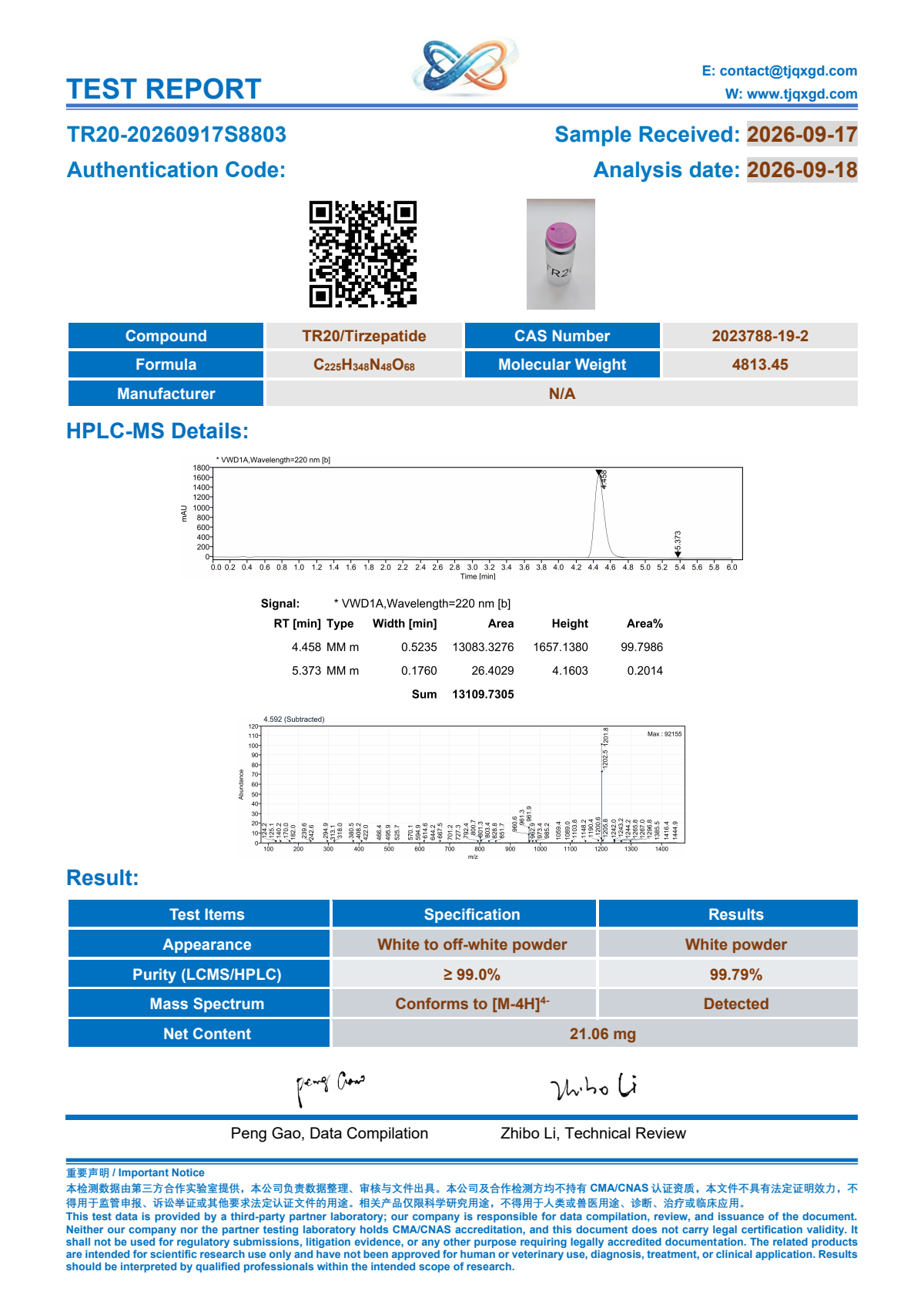 Original TR20 report · first-page preview
The public library includes 11 registered original PDF records and the document position for all 122 active SKUs. Search by full code or select the product being reviewed.
Open the COA libraryA registered file is not extended to other specifications. The complete list identifies entries whose documents require confirmation.
Use the original PDF as the record of what is printed on that report. The website listing identifies its registered SKU; it does not add measurements or expand the file’s scope.
| Review point | What to compare |
|---|---|
| Product and specification | Compare the complete catalog name, SKU and per-vial specification with the document and your inquiry. |
| Report and sample details | Read the identifiers and dates printed in the original file. Ask about their relevance to the proposed supply. |
| Reported information | Read only the methods, measurements and statements actually present in the file; request further documentation where required. |
| Verification information | Where the document provides verification details, follow the issuing party’s stated instructions. Ask the team about any unclear record. |
The original files are retained in their own layouts. A field present in one is not automatically present in another. Review each file separately and identify any additional information your purchasing review requires.
These records answer different purchasing questions. Review them together without treating one as proof of an unrecorded detail in another.
The full name, SKU, content per vial and packaging define the listed specification.
Read the statements and identifiers actually printed in that file. A preview does not add to them.
Ask about the relevance and availability of documents for the exact sourcing request.
Use the original link, keep its identifiers, and ask for clarification where a verification route or the intended supply remains unclear.
For the registered RT10 entry, open the complete file rather than relying only on its preview.
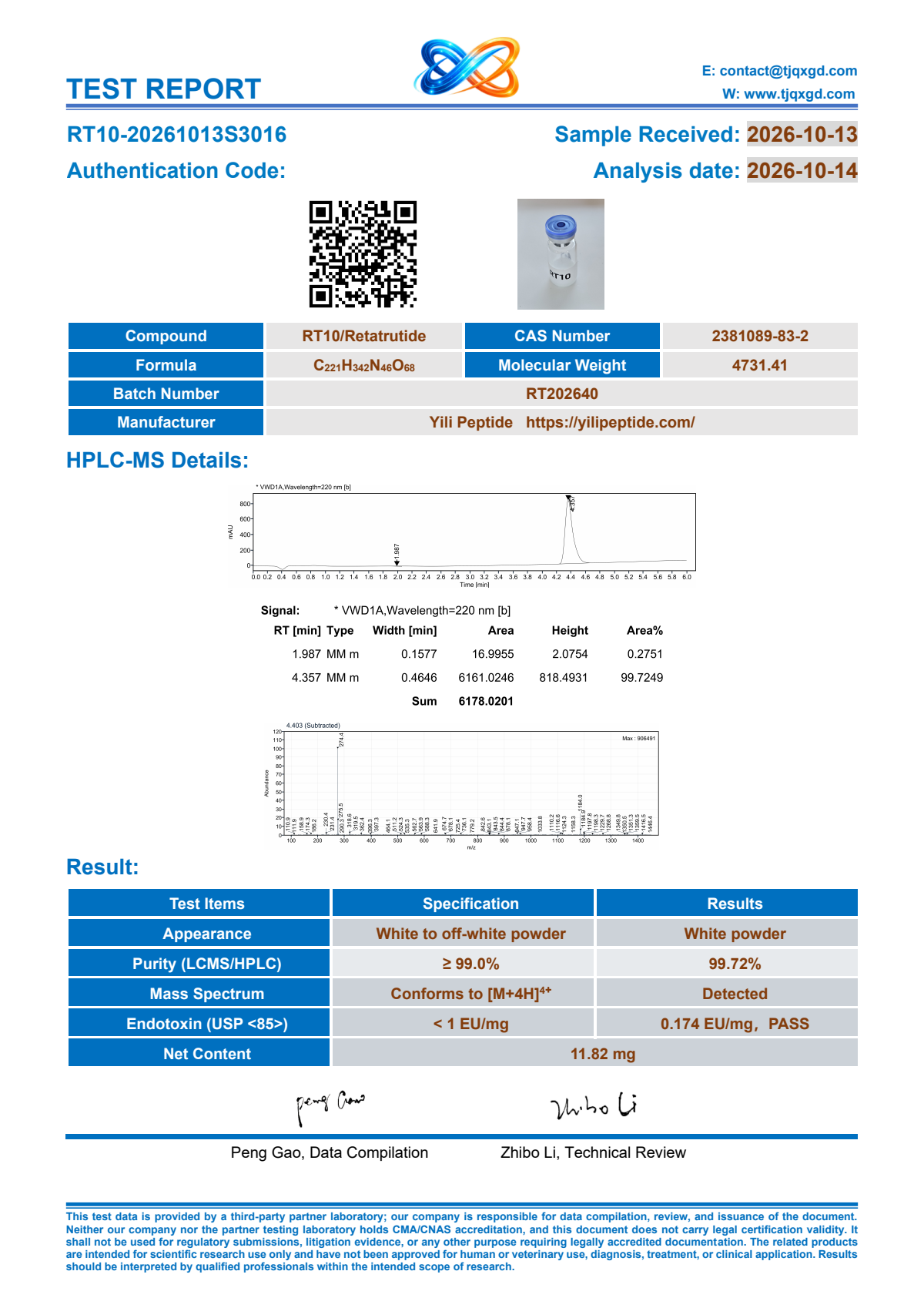
Read any issuer or verification details printed there. The website does not create a new verification code or add a testing partnership.
Keep the full product name, selected SKU and relevant report identifiers together. Ask which documents apply to the supply under discussion.
Add your boxes, destination and the document question to resolve.
Use the actual fields in front of you. Keep the original wording and ask about an unclear or missing detail.
For handling or storage documentation, identify the exact SKU and proposed supply in your request.
Choose the full SKU on the product page or search for it in the COA library. The record identifies an original PDF where one is registered and shows documents to confirm for other entries.
Send the exact SKU and required paperwork to the team. A different amount, nearby code or similarly named combination is not used as a replacement report.
Open the original PDF and read its own identifiers and any verification details. Ask the team to clarify the record and its relevance to proposed supply. The website listing does not independently verify an issuing party.
Each original file is retained in its own format. Read its actual fields rather than assuming another file supplies a missing statement, identifier or measurement.
Open the original-file link and use your PDF viewer’s save or download function. The website also provides a first-page image for convenient previewing.
The registered original links are public in the library and on the relevant product pages. You can review them before sending your product list.
The catalog page does not add a purity result or an unprovided specification. Read the original file and ask about any requirement your purchasing review needs to confirm.
Keep the amount and unit exactly as written in each record. Ask the team to clarify a discrepancy for the selected SKU rather than changing either record or inferring an explanation.
Identify the required information in your inquiry. The team can review whether relevant documentation is available for proposed supply; an unlisted field is not supplied from another product’s file.
The library identifies the original PDF registered to a full catalog SKU. It does not add a laboratory partnership, certification or statement that every supplied batch has been tested.
Send the exact SKUs, boxes, destination and paperwork requirements. The team confirms the relevant documents and shipment arrangements for the quotation.
The link is part of the purchasing record. Ask for handling documentation relevant to the exact SKU and proposed supply; this lookup page does not provide a preparation or use procedure.
Open the original file for the registered SKU, then ask about the documents relevant to your quotation.